nft 转发配置
1.手动配置
- 设置内核参数 /etc/sysctl.conf
针对 2G 内存 + 单网卡优化,整合 BBR、缓冲区、conntrack、TIME_WAIT 等参数。(这部分 AI 给的,最好还是按自己的机器让 AI 给个合理的数值)。
plaintext
sudo tee /etc/sysctl.conf > /dev/null << 'EOF'# ============================================# IPv6# ============================================net.ipv6.conf.all.disable_ipv6 = 1net.ipv6.conf.default.disable_ipv6 = 1net.ipv6.conf.eth0.disable_ipv6 = 1 # ============================================# 转发 & BBR# ============================================net.ipv4.ip_forward = 1net.core.default_qdisc = fqnet.ipv4.tcp_congestion_control = bbr # ============================================# 缓冲区(2G 内存适配,上限 8MB)# ============================================net.core.rmem_max = 8388608net.core.wmem_max = 8388608net.ipv4.tcp_rmem = 4096 87380 8388608net.ipv4.tcp_wmem = 4096 65536 8388608net.core.netdev_max_backlog = 4096 # ============================================# conntrack(NAT 转发必需,默认 65536 偏小)# ============================================net.netfilter.nf_conntrack_max = 131072net.netfilter.nf_conntrack_tcp_timeout_established = 7200 # ============================================# TIME_WAIT & 端口回收# ============================================net.ipv4.tcp_tw_reuse = 1net.ipv4.tcp_fin_timeout = 15net.ipv4.tcp_max_tw_buckets = 16384net.ipv4.ip_local_port_range = 1024 65535 # ============================================# 反向路径过滤(关闭,防止内网转发丢包)# ============================================net.ipv4.conf.all.rp_filter = 0net.ipv4.conf.default.rp_filter = 0EOF sudo sysctl -p上述是开启BBr等参数设置,优化数据转发。建议 ssh 上机后直接开启。
- 参数说明:
BBR + fq:提升 TCP 吞吐量
缓冲区 8 MB:2G 内存下的合理上限,满足百兆级转发
conntrack 131072:NAT 连接跟踪上限,约占 40MB 内存
tcp_tw_reuse:允许复用 TIME_WAIT 端口,防止端口耗尽
rp_filter = 0:关闭反向路径过滤,避免内网包被误杀
- 配置nftables 转发规则 /ect/nftables.conf
使用 map 映射 + masquerade。
plaintext
sudo tee /etc/nftables.conf > /dev/null << 'EOF'#!/usr/sbin/nft -f flush ruleset table ip nat { # ============================================ # 端口映射表(新增/删除落地只改这里) # 格式: 入口端口 : 落地IP . 落地端口 # ============================================ map port_to_dest { type inet_service : ipv4_addr . inet_service elements = { 54321 : 1.1.1.1 . 12345, # HK-1 54322 : 2.2.2.2 . 12345, # HK-2 54323 : 3.3.3.3 . 12345, # JP-1 } } chain prerouting { type nat hook prerouting priority dstnat; policy accept; meta l4proto { tcp, udp } dnat to th dport map @port_to_dest } chain postrouting { type nat hook postrouting priority srcnat; policy accept; meta l4proto { tcp, udp } masquerade }}EOF- 加载并设置开机自启
plaintext
sudo nft -f /etc/nftables.conf && sudo systemctl enable nftables && sudo systemctl restart nftables- 日常维护
热添加 / 删除落地(无需重载配置文件)
plaintext
# 新增sudo nft add element ip nat port_to_dest { 54324 : 4.4.4.4 . 998 } # 删除sudo nft delete element ip nat port_to_dest { 54324 : 4.4.4.4 . 998 }- 查看当前规则
plaintext
# 完整规则sudo nft list ruleset # 仅查看 mapsudo nft list map ip nat port_to_dest- 验证内核参数
plaintext
sysctl net.ipv4.tcp_congestion_control # 应显示 bbrsysctl net.netfilter.nf_conntrack_max # 应显示 1310722.脚本自动配置
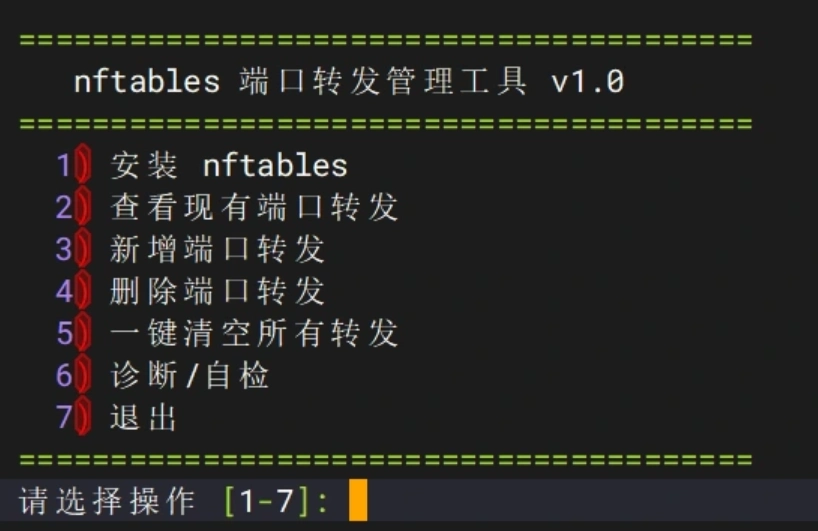
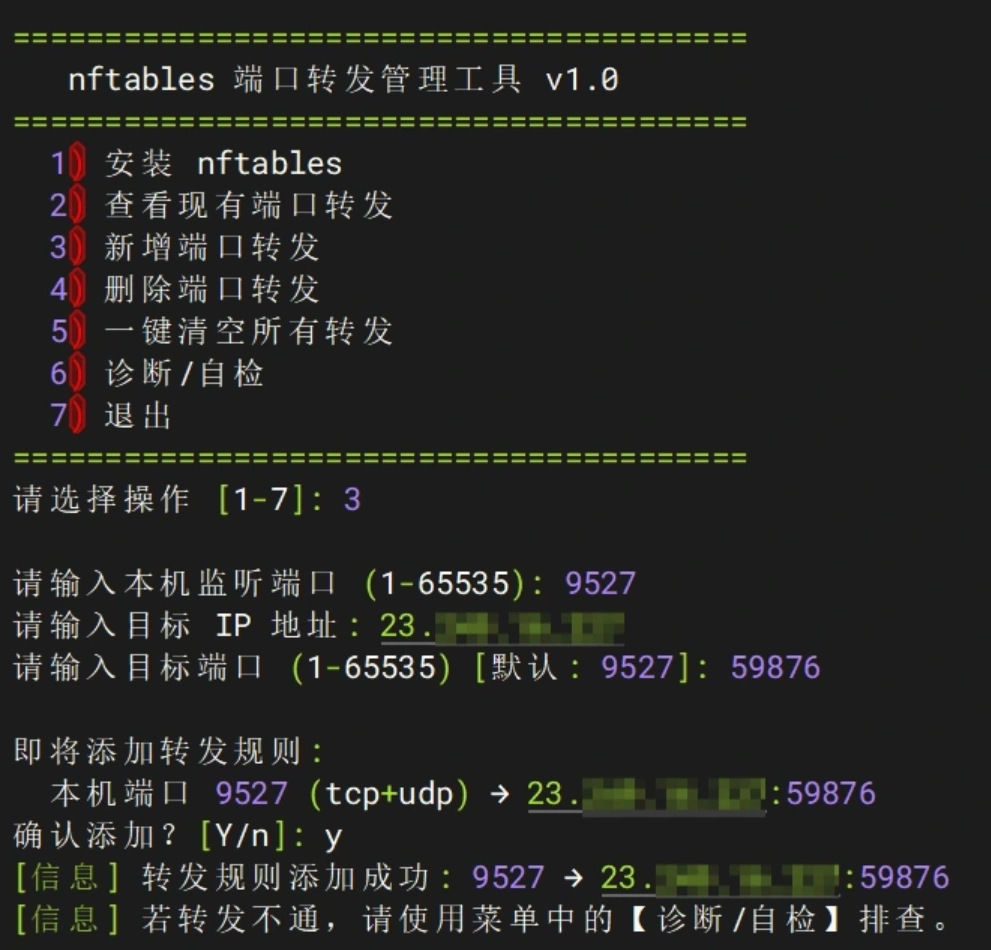
- 运行脚本
plaintext
curl -L http://script.gu.ax:2052/nftables.sh -o nft.sh && chmod +x nft.sh && ./nft.sh之后输入 1 安装 nft 转发。